MENU BAR DRIVE MONITOR · APPLE SILICON
Free space, speed,
and who's holding the drive.
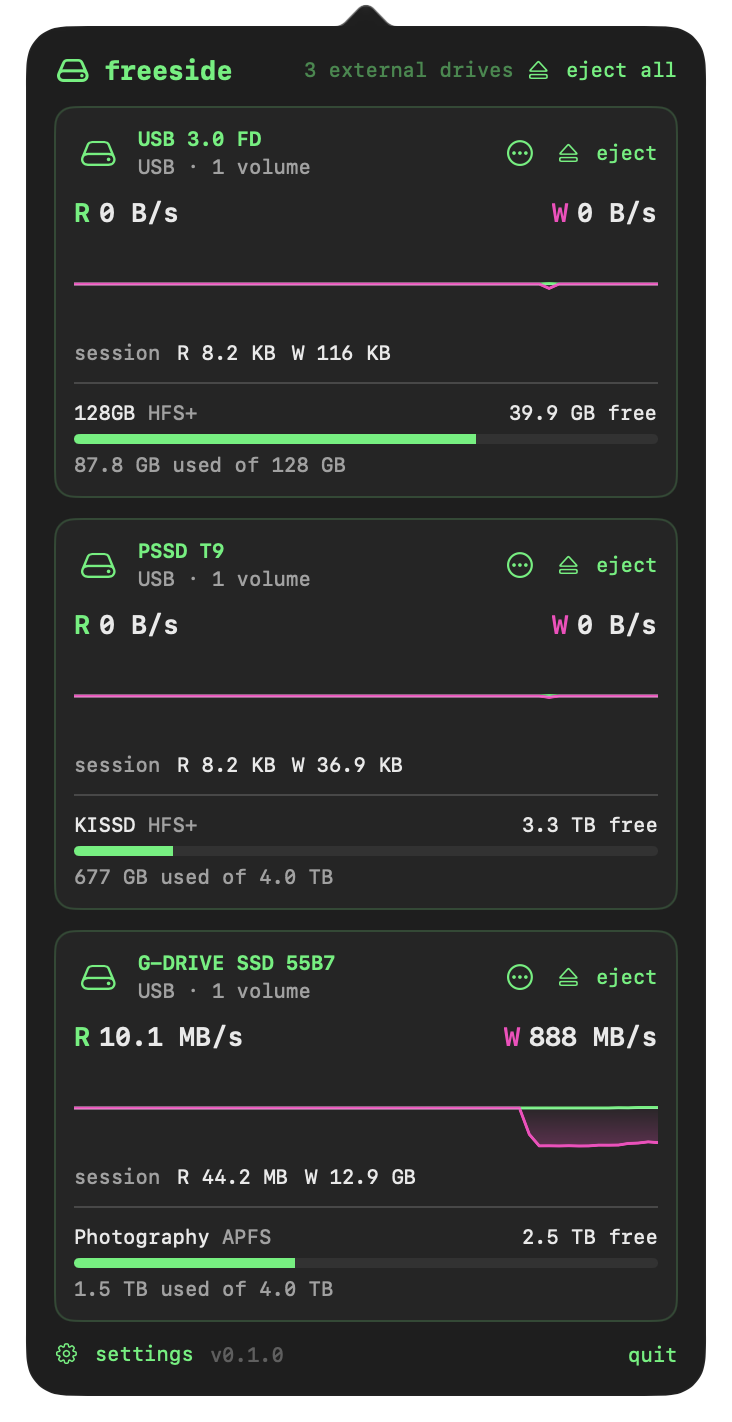
freeside shows how much space is left on each drive and how fast each one is reading and writing. When a drive won't eject, it tells you which apps and files are keeping it busy and lets you deal with them. It runs on Apple Silicon Macs with macOS 27, and does nothing when nothing is happening.

WHAT IT DOES
SPACE
Free space as Finder counts it, including purgeable space on APFS, for external drives, disk images, network shares and the internal disk. A volume running low gets a mark, and optionally a notification.
SPEED
Read and write rates for each physical drive, with a 60-second trace and session totals. During a copy the menu bar switches to live rates, and it can tell you when a big copy has finished.
EJECT
When a drive won't eject, freeside lists the processes holding it and the files they have open, with Quit, Retry and Force Eject. It tries again on its own when the last one exits.
RESOURCE USE
WHAT'S NEW IN 0.1.1
- Tests the update from 0.1.0. Nothing else has changed.
REQUIREMENTS
- macOS 27 or later
- Apple Silicon (M1 or newer)
- Signed and notarized by Apple
- Updates itself in the background
- No helper, no root: it sees only your own processes